Network & overlay
Every node talks to the rest of your cluster over its own private network connection: a WireGuard
overlay (wg0), separate from your regular home or office network. Buddy checks this connection on
every node on a slow, continuous tick and shows the result on that node’s Overview screen and,
for the whole cluster at once, under Cluster → Network.
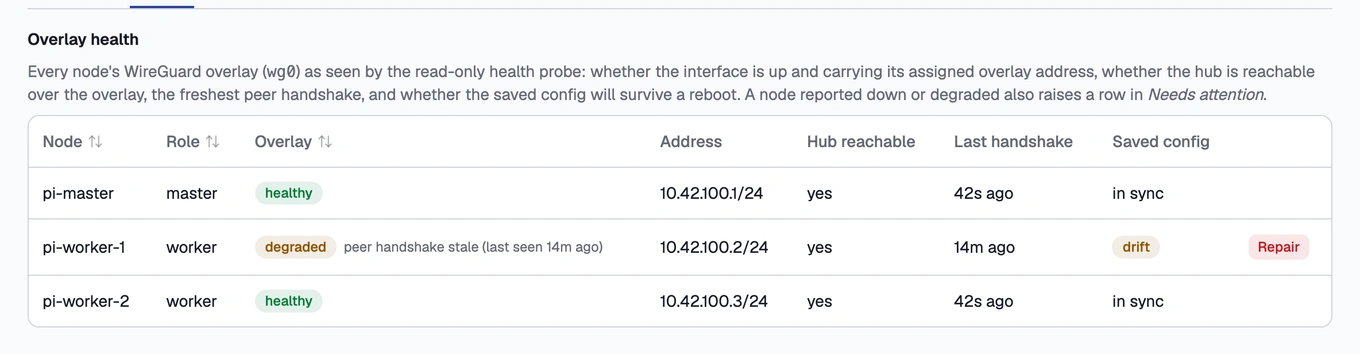
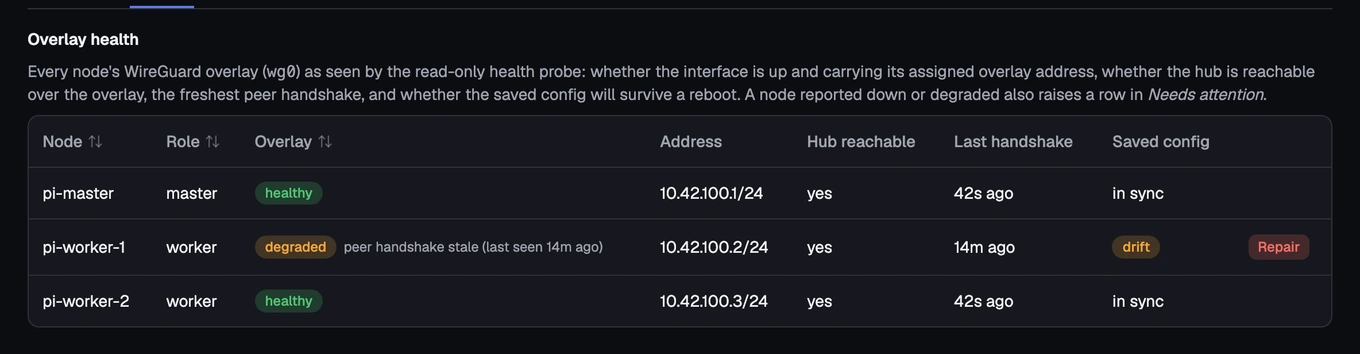
Each node shows one of three states:
- healthy — the connection is up, carrying the address it was assigned, the master is reachable over it, its peers have a recent handshake, and the saved configuration matches what’s actually running (so it would survive a reboot).
- degraded — the connection works, but something about it is off.
- down — the connection is broken.
A node reported degraded or down also raises a row in Needs attention, and Cluster → Network’s table shows a Repair button on that row; it takes you to the node’s own Overview screen, where the guided repair actually runs.
A node’s overlay shows degraded
What it means: The connection itself is working, but one of a few things is off: a peer’s handshake has gone stale, the master isn’t reachable over the connection even though the interface looks fine, or the saved configuration has drifted from what’s actually running, meaning it would not survive a reboot as it currently is.
Fix: Open the node’s Overview screen (or the Repair button on its row in Cluster → Network) and choose Repair overlay. This rebuilds the node’s connection from the master’s own records — the source of truth for who’s supposed to be connected to what — and saves it so the fix survives a reboot. It’s a guarded, one-click action: you confirm, watch the steps run, and a trailing check confirms the connection is healthy again before it reports success.
Repair is registry-driven and safe to run again: running it on an already-healthy node just re-confirms it’s fine, it never invents state. On a worker, the interface is briefly taken down and back up as part of the repair, so the node may blip offline for a few seconds before reconnecting on its own; on the master, the same repair is applied without that bounce, so it doesn’t cut the master’s own connection to itself.
If that didn’t work: Repair needs the node online: the fix runs on the node itself, so the button is disabled with a reason if the node is offline; deal with that first (see A node shows as offline / NotReady). If repair runs but fails, the failing step and the node’s Activity log show why.
A node’s overlay shows down
What it means: The connection is broken. The most important case Buddy catches here is a silent break: the interface is up and its peers are connected, but it’s missing its own address, so every packet meant for the master gets dropped even though handshakes still succeed. Before this was named, it only ever showed up as a bare Kubernetes “NotReady,” with nothing pointing at the actual cause.
Fix: Same as degraded above: open the node’s Overview screen and choose Repair overlay. The repair doesn’t need to know which specific way the connection broke; it re-asserts the node’s address and peer set from the master’s records regardless.
Buddy never repairs the connection on its own, silently. It’s too central to the cluster’s health to change without you confirming it first.
If that didn’t work: As above, repair needs the node online, and a failed repair’s log names the step that failed. If the node stays down after a completed repair, check its own network connection at the operating-system level next. The repair only fixes Buddy’s side of the configuration, not a genuinely disconnected cable or switch.