Run an app on a storage
What this gets you
An app running with its data on a storage you control, so its data survives the app being restarted.
Before you start
- A storage already created and showing Available — see Prepare a disk and create a storage.
- PostgreSQL is built in, so it’s always available to install with no setup beyond that.
The steps
-
Open Store, choose PostgreSQL, and select Install….
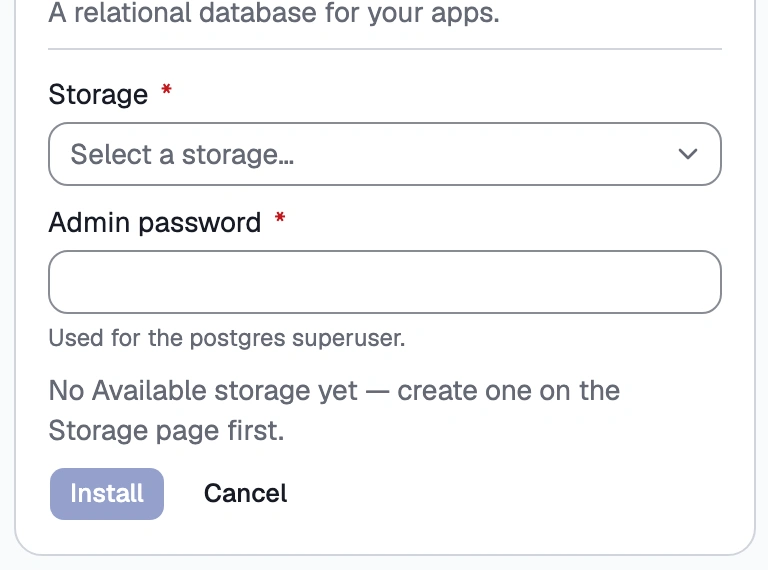
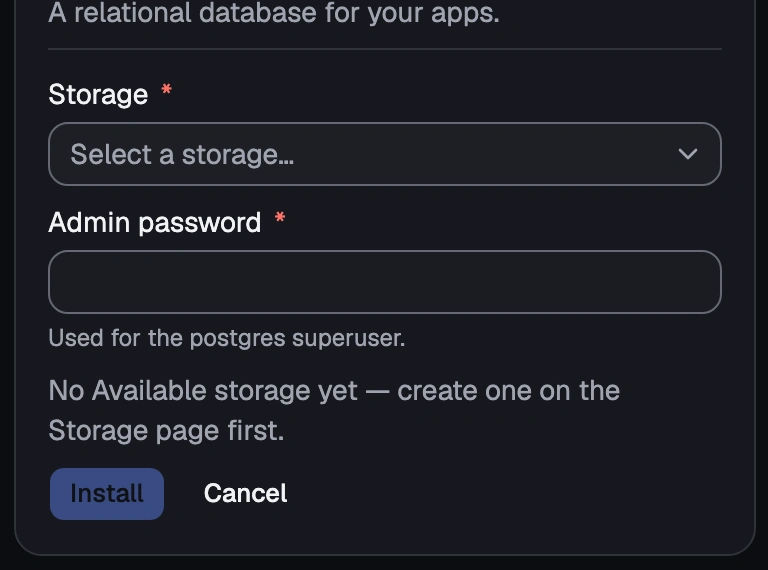
The PostgreSQL package's Install wizard -
Fill in the wizard: a name for this instance, the superuser password, and — from the dropdown of your Available storages — the storage to use.
-
Install.
Buddy connects the storage you picked to the new app and brings PostgreSQL up with its data directory on it. If you picked a node-local storage, the app is pinned to that storage’s node; if you picked a shared storage, it can run on any node.
How you know it worked
The install shows as running, with the storage you picked listed as its persistence. Restarting the app’s pod doesn’t lose its data — the storage is retained independently of the app.
What can go wrong
- A package install fails with “cluster unreachable”
See this symptom in Troubleshooting.